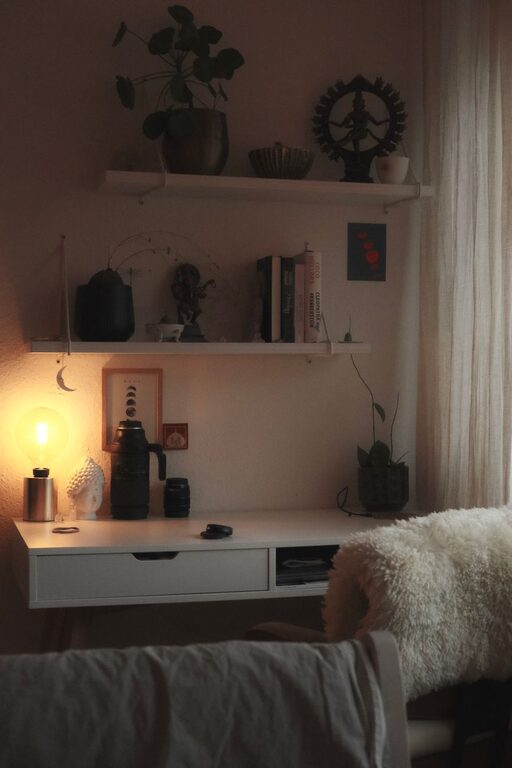

Creating a productive home office space is essential for anyone who works remotely or spends significant time working from home. A well-designed workspace can help improve focus, reduce distractions, and foster a more comfortable workday. Whether you have a dedicated room or a small corner, these tips will help you set up an effective home office that works for you.
Choose the Right Location
Finding the right spot for your home office is the first step toward productivity. Ideally, select a quiet area away from heavy foot traffic and household noise.
– Natural light: Choose a space near windows to take advantage of daylight. Natural light can improve mood and reduce eye strain.
– Space: Make sure there’s enough room for your desk, chair, and any other essentials. Avoid cramming in tight corners.
– Privacy: If possible, opt for a room with a door you can close to minimize interruptions during calls or focused work.
Invest in Ergonomic Furniture
Comfort plays a big role in how productive and healthy you feel during work hours.
– Chair: Invest in an ergonomic chair that supports your back and encourages good posture.
– Desk: Choose a desk at an appropriate height to avoid strain on your wrists and shoulders. Adjustable desks can be a great option.
– Monitor placement: Position your computer monitor at eye level to reduce neck and eye strain.
Organize Your Workspace Efficiently
A cluttered desk can distract you and make it harder to find what you need.
– Declutter: Keep only the essentials on your desk. Store extra items in drawers or shelves.
– Storage solutions: Use organizers, bins, or filing cabinets to keep papers and supplies tidy.
– Cord management: Use cable organizers to keep wires from tangling and cluttering your space.
Create a Routine and Define Boundaries
Having a clear routine helps maintain focus and separates work from personal life.
– Set working hours: Define start and end times for your workday, and stick to them as much as possible.
– Breaks: Schedule short breaks to rest your eyes and stretch your body.
– Boundaries: Communicate your work hours with family or roommates to minimize interruptions.
Personalize Your Workspace
Adding personal touches can make your home office more inviting and inspire creativity.
– Plants: Including greenery improves air quality and adds a calming effect.
– Artwork: Hang inspiring or motivational images to brighten the room.
– Lighting: Use task lighting like a desk lamp to supplement natural light and create a warm ambiance.
Minimize Distractions
Eliminating distractions helps you stay on track and be more productive.
– Turn off notifications: Mute non-essential phone or computer notifications while working.
– Keep phone away: Consider placing your phone in another room or using “Do Not Disturb” mode.
– Noise management: Use noise-cancelling headphones or white noise machines if your environment is noisy.
Optimize Technology and Tools
Having the right tools ensures efficient workflow and fewer interruptions.
– Reliable internet: Ensure you have a fast and stable internet connection.
– Hardware: Choose a good quality computer, headset, and peripherals based on your work needs.
– Software: Use productivity apps or project management tools to organize tasks and collaborate easily.
Maintain Good Air Quality and Comfort
Your physical environment impacts your ability to focus and stay energized.
– Ventilation: Keep your office well ventilated. Open windows when possible or use an air purifier.
– Temperature: Maintain a comfortable room temperature to avoid distractions caused by feeling too hot or cold.
– Hydration: Keep water nearby to stay hydrated throughout the day.
Regularly Refresh and Update Your Space
Over time, your needs may change, so revisit your home office setup regularly.
– Rearrange: Change the layout to boost energy or focus if you feel stuck.
– Review: Check your furniture and tools for wear and update them when needed.
– Add new elements: Consider adding new items that support your workflow or comfort.
—
Creating a productive home office is about balance—between comfort, organization, and functionality. By following these tips, you can build a workspace that supports your work and well-being every day. Remember, a thoughtful workspace helps you feel motivated and ready to tackle any task. Happy working!